The voting service invites eligible participants, accepts ballots, and publishes approved election or poll results.
Documentation
| Area | Start here |
|---|---|
| Ballot behavior and result calculation | Voting model |
| Authentication and invitation tokens | Authentication |
| Election administration | Operations guide |
| Routes and exact request behavior | API reference |
| Token lifecycle and recovery | Token management |
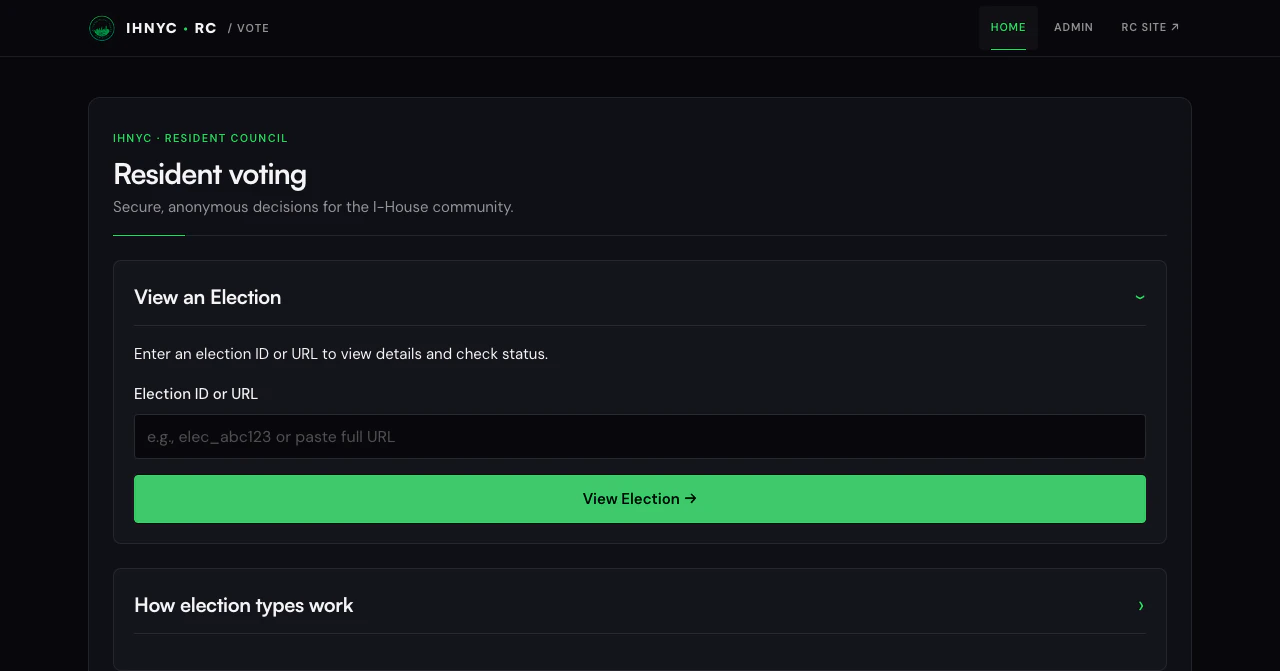 Resident voting home · July 2026
What a voter experiences
- Receive an email invitation or a magic link to a personal election list.
- Open the election and review its description, choices, and any supporting documents.
- Submit the ballot before the election closes.
- See a confirmation that the ballot was accepted.
- View results if and when the election administrator publishes them.
The service validates each voting token and prevents it from being reused. Ballots are stored separately from invitations and email addresses; the election ID is the only link back to the election.
What an administrator does
| Stage | Typical work |
|---|---|
| Prepare | Create the election or poll, set its dates and ballot type, add choices, and optionally link a Notion page |
| Invite | Generate individual tokens or send a magic-link invitation covering multiple elections |
| Monitor | Check delivery, participation, audit events, and reminder status |
| Close | Close voting, review the calculated result, and publish or email it when approved |
Scheduled jobs keep Notion status in sync, send reminders, and deliver result email when configured. The operations guide covers the checks to run before and after these actions.
Imported or certified results
An administrator can attach a certified legacy or imported result that replaces the calculated result on the public results page.
- Open the election and find Manual Results (Legacy / Imported).
- Add the certifier, certification time, or notes when available.
- Paste a result object and select Save Manual Results.
{
  "contests": [
    {
      "label": "President",
      "items": [
        { "label": "Alice", "votes": 120 },
        { "label": "Bob", "votes": 95 }
      ]
    }
  ]
}
Every item needs a label and a non-negative whole-number vote count. Use Clear Manual Results to return to calculated results. Maintainers can use PUT /admin/elections/:id/manual-results and DELETE /admin/elections/:id/manual-results for the same actions.
Notion pages and attachments
When an election is linked to the “Any Voting” Notion database, the service can:
- pull its name, description, supporting files, and stable Notion page link;
- push the election status and public results link; and
- refresh signed file links during synchronization.
The public election page shows supporting documents only when they exist. If an individual Notion file link expires, use View attachments in Notion. See Notion integration for setup, timing, and retry behavior.
How the service works
- A Hono application on Cloudflare Workers serves both public and admin routes.
- D1 stores elections, token hashes, ballots, invitations, email groups, and audit events.
- A Durable Object coordinates token validation.
- Cloudflare Access protects browser-based administration; an admin API key supports approved service calls.
- Resend sends invitations, reminders, and result email.
- Per-route rate limits protect voting and administrative actions.
flowchart LR
  VOTER["Voter"] -->|invitation token| VOTE["Voting service"]
  ADMIN["Election administrator"] -->|Cloudflare Access| VOTE
  VOTE --> DB[("D1 elections and ballots")]
  VOTE --> TOKENS["Token coordinator"]
  VOTE --> EMAIL["Resend"]
  VOTE <--> NOTION["Notion"]
Guides by task
| Task | Guide |
|---|---|
| Run or troubleshoot the service | Operations |
| Choose a ballot and understand its result | Voting system and results calculation |
| Understand invitations and tokens | Magic-link invitations and token management |
| Configure Notion | Notion setup and integration behavior |
| Review email behavior | Email system and distribution lists |
| Review security controls | Authentication, rate limiting, and audit logging |
| Look up an endpoint or schema change | API reference and database migrations |
| Run the test suite | Testing strategy |
Service links
- Site: vote.ihnyc-rc.org
- Repository: dghauri0/ihnyc-rc-vote
For shared trust boundaries and response conventions, see the security model and API contracts.